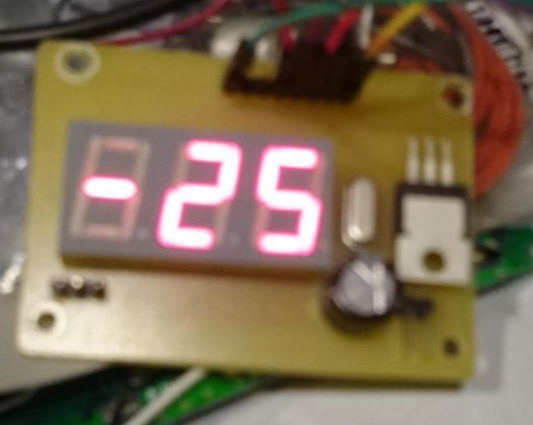
#include
#define ONE_WIRE_BUS 5 // PD5
OneWire ds(ONE_WIRE_BUS);
/* ROM = 28 D4 38 F7 2 0 0 4 */
/* ROM = 28 FF 63 BE B1 16 3 20 */
byte addr[8] = { 0x28, 0xFF, 0x63, 0xBE, 0xB1, 0x16, 0x03, 0x20 };
byte data[12];
#define LED 6
#define A A4
#define B A2
#define C 10
#define D 8
#define E 7
#define J A3 // Это F
#define G 11
#define CA2 A0
#define CA1 13
#define CA3 A1
#define DP 9 // Точка
const int segs[7] = { A, B, C, D, E, J, G };
const byte numbers[10] = {
0b1000000,
0b1111001,
0b0100100,
0b0110000,
0b0011001,
0b0010010,
0b0000010,
0b1111000,
0b0000000,
0b0010000
};
const byte m[1] = {
0b1000000
};
long previousMillis = 0;
long interval = 1000;
unsigned long currentMillis;
boolean run = false;
int thousands = 0;
int hundreds = 0;
int tens = 0;
int ones = 0;
void setup() {
pinMode(LED, OUTPUT);
pinMode(13, OUTPUT); // Digital 1
pinMode(A0, OUTPUT); // Digital 2
pinMode(A1, OUTPUT); // Digital 3
pinMode(A4, OUTPUT); // SEG A
pinMode(A2, OUTPUT); // SEG B
pinMode(10, OUTPUT); // SEG C
pinMode(8, OUTPUT); // SEG D
pinMode(7, OUTPUT); // SEG E
pinMode(A3, OUTPUT); // SEG F
pinMode(11, OUTPUT); // SEG G
pinMode(DP, OUTPUT); // DP
digitalWrite(LED, HIGH);
Serial.begin(9600);
}
int16_t raw;
int celsius;
int pcelsius;
byte i;
bool minus = false;
void loop() {
currentMillis = millis();
if (thousands > 0) {
lightDigit1(numbers[thousands]); // temp%10]);
delay(5);
}
if (minus) {
dis_minus();
delay(5);
}
lightDigit2(numbers[hundreds]); // int(temp/10)]);
delay(5);
lightDigit3(numbers[tens]); // int(8)]);
delay(5);
if (currentMillis - previousMillis > interval) {
previousMillis = currentMillis;
if (run) {
ds.reset();
ds.select(addr);
ds.write(0xBE);
for (i = 0; i < 9; i++) data[i] = ds.read();
run = false;
raw = (data[1] << 8) | data[0];
// raw = 0xFFF8; // -0.5
// raw = 0xFE6F; // -25.12
celsius = ((float)raw / 16.0) * 100;
// celsius = -99;
pcelsius = celsius;
if (celsius < 0) { celsius = celsius * -1; pcelsius = pcelsius * -1; if (pcelsius > 999) celsius = celsius / 10;
minus = true;
} else {
minus = false;
}
thousands = celsius / 1000;
hundreds = (celsius % 1000) / 100;
tens = (celsius % 100) / 10;
ones = celsius % 10;
}
if (!run) {
ds.reset();
ds.select(addr);
ds.write(0x44, 1);
run = true;
}
if (digitalRead(LED) == 1) {
digitalWrite(LED, LOW);
} else {
digitalWrite(LED, HIGH);
}
}
}
void dis_minus() {
digitalWrite(CA1, HIGH);
digitalWrite(CA2, LOW);
digitalWrite(CA3, LOW);
digitalWrite(DP, HIGH);
digitalWrite(segs[6], 0);
digitalWrite(segs[5], 1);
digitalWrite(segs[4], 1);
digitalWrite(segs[3], 1);
digitalWrite(segs[2], 1);
digitalWrite(segs[1], 1);
digitalWrite(segs[0], 1);
}
void lightDigit1(byte number) {
digitalWrite(CA1, HIGH);
digitalWrite(CA2, LOW);
digitalWrite(CA3, LOW);
digitalWrite(DP, HIGH);
lightSegments(number);
}
void lightDigit2(byte number) {
digitalWrite(CA1, LOW);
digitalWrite(CA2, HIGH);
digitalWrite(CA3, LOW);
if (!minus) {
digitalWrite(DP, LOW);
} else {
if (pcelsius <= 999) {
digitalWrite(DP, LOW);
} else {
digitalWrite(DP, HIGH);
}
}
lightSegments(number);
}
void lightDigit3(byte number) {
digitalWrite(CA1, LOW);
digitalWrite(CA2, LOW);
digitalWrite(CA3, HIGH);
digitalWrite(DP, HIGH);
lightSegments(number);
}
void lightSegments(byte number) {
for (int i = 0; i < 7; i++) {
int bit = bitRead(number, i);
digitalWrite(segs[i], bit);
}
}
Архив рубрики: Новости
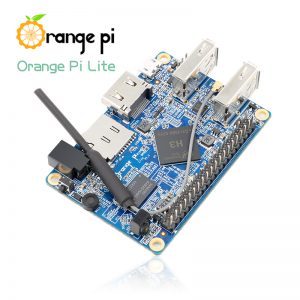
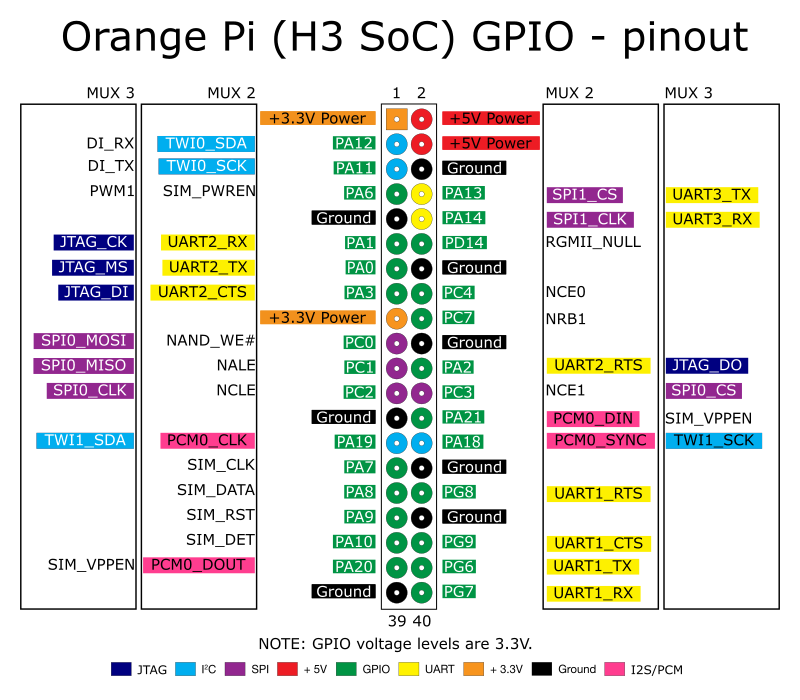
Orange Pi Lite
Важно: Питание должно быть 5 Вольт, а не меньше !
При 4.5в – Запускается с проблемами.
Включить OTG как консоль. Источник.
echo “g_serial” >> /etc/modules
mkdir -p /etc/systemd/system/serial-getty@ttyGS0.service.d
vi /etc/systemd/system/serial-getty@ttyGS0.service.d/10-switch-role.conf
Должна быть запись.
[Service]
ExecStartPre=-/bin/sh -c “echo 2 > /sys/bus/platform/devices/sunxi_usb_udc/otg_role”
После делаем следующие.
systemctl –no-reload enable serial-getty@ttyGS0.service
echo “ttyGS0” >> /etc/securetty
reboot
Драйвер порта для XP.
Gadget-Serial-v4-2
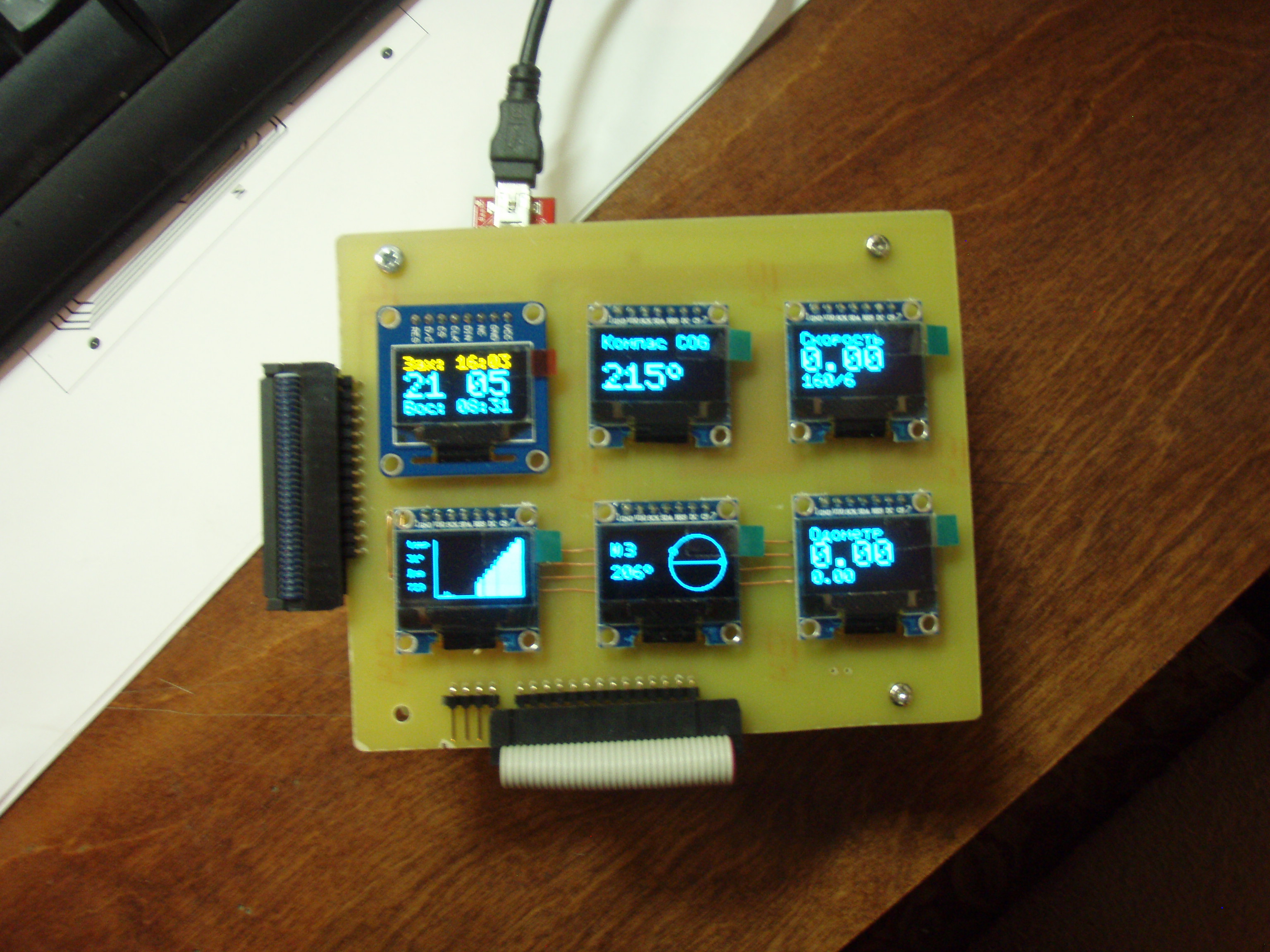
Одометр для Катамарана

- 6 штук OLED Display с SPI интерфейсом, AtMega 1284P (arduino)
- GPS
- RTC PCF8563
- GY-87 MPU6050 HMC5883L BMP180 Модуль
- Потихоньку программируем. (Github)
Arduino + ATmega2560
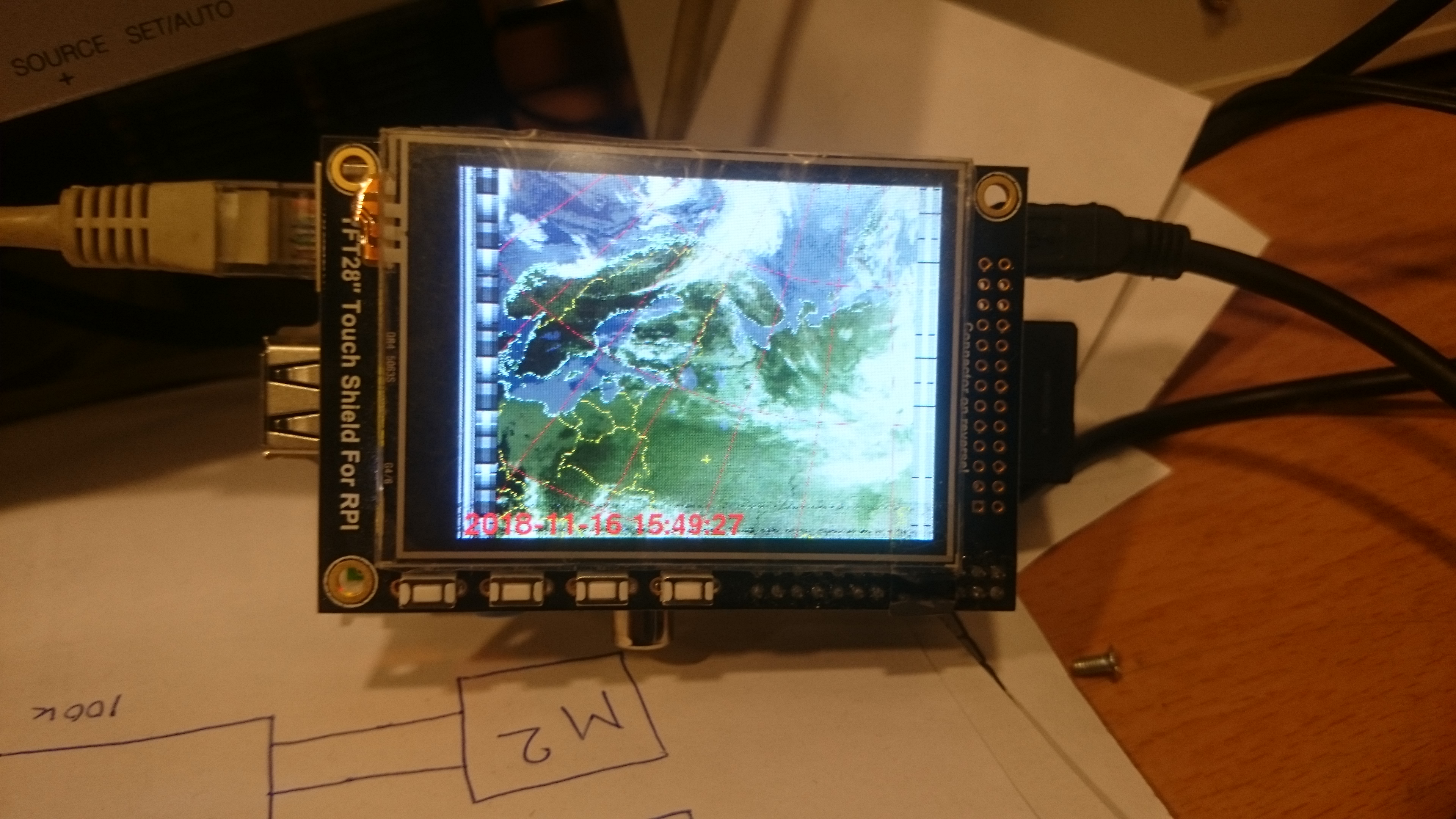
TFT 2.8″ Example for pygame
import pygame
import os
from time import sleep
import RPi.GPIO as GPIO
#Note #21 changed to #27 for rev2 Pi
button_map = {23:(255,0,0), 22:(0,255,0), 21:(0,0,255), 18:(0,0,0)}
#Setup the GPIOs as inputs with Pull Ups since the buttons are connected to GND
GPIO.setmode(GPIO.BCM)
for k in button_map.keys():
GPIO.setup(k, GPIO.IN, pull_up_down=GPIO.PUD_UP)
#Colours
WHITE = (255,255,255)
os.putenv('SDL_FBDEV', '/dev/fb1')
pygame.init()
pygame.mouse.set_visible(False)
lcd = pygame.display.set_mode((320, 240))
lcd.fill((0,0,0))
pygame.display.update()
font_big = pygame.font.Font(None, 100)
while True:
# Scan the buttons
for (k,v) in button_map.items():
if GPIO.input(k) == False:
lcd.fill(v)
text_surface = font_big.render('%d'%k, True, WHITE)
rect = text_surface.get_rect(center=(160,120))
lcd.blit(text_surface, rect)
pygame.display.update()
sleep(0.1)
import os
from time import sleep
import RPi.GPIO as GPIO
#Note #21 changed to #27 for rev2 Pi
button_map = {23:(255,0,0), 22:(0,255,0), 21:(0,0,255), 18:(0,0,0)}
#Setup the GPIOs as inputs with Pull Ups since the buttons are connected to GND
GPIO.setmode(GPIO.BCM)
for k in button_map.keys():
GPIO.setup(k, GPIO.IN, pull_up_down=GPIO.PUD_UP)
#Colours
WHITE = (255,255,255)
os.putenv('SDL_FBDEV', '/dev/fb1')
pygame.init()
pygame.mouse.set_visible(False)
lcd = pygame.display.set_mode((320, 240))
lcd.fill((0,0,0))
pygame.display.update()
font_big = pygame.font.Font(None, 100)
while True:
# Scan the buttons
for (k,v) in button_map.items():
if GPIO.input(k) == False:
lcd.fill(v)
text_surface = font_big.render('%d'%k, True, WHITE)
rect = text_surface.get_rect(center=(160,120))
lcd.blit(text_surface, rect)
pygame.display.update()
sleep(0.1)
TouchScreen
import pygame
from pygame.locals import *
import os
from time import sleep
import RPi.GPIO as GPIO
#Setup the GPIOs as outputs - only 4 and 17 are available
GPIO.setmode(GPIO.BCM)
GPIO.setup(4, GPIO.OUT)
GPIO.setup(17, GPIO.OUT)
#Colours
WHITE = (255,255,255)
os.putenv('SDL_FBDEV', '/dev/fb1')
os.putenv('SDL_MOUSEDRV', 'TSLIB')
os.putenv('SDL_MOUSEDEV', '/dev/input/touchscreen')
pygame.init()
pygame.mouse.set_visible(False)
lcd = pygame.display.set_mode((320, 240))
lcd.fill((0,0,0))
pygame.display.update()
font_big = pygame.font.Font(None, 50)
touch_buttons = {'17 on':(80,60), '4 on':(240,60), '17 off':(80,180), '4 off':(240,180)}
for k,v in touch_buttons.items():
text_surface = font_big.render('%s'%k, True, WHITE)
rect = text_surface.get_rect(center=v)
lcd.blit(text_surface, rect)
pygame.display.update()
while True:
# Scan touchscreen events
for event in pygame.event.get():
if(event.type is MOUSEBUTTONDOWN):
pos = pygame.mouse.get_pos()
print pos
elif(event.type is MOUSEBUTTONUP):
pos = pygame.mouse.get_pos()
print pos
#Find which quarter of the screen we're in
x,y = pos
if y < 120:
if x < 160:
GPIO.output(17, False)
else:
GPIO.output(4, False)
else:
if x < 160:
GPIO.output(17, True)
else:
GPIO.output(4, True)
sleep(0.1)
from pygame.locals import *
import os
from time import sleep
import RPi.GPIO as GPIO
#Setup the GPIOs as outputs - only 4 and 17 are available
GPIO.setmode(GPIO.BCM)
GPIO.setup(4, GPIO.OUT)
GPIO.setup(17, GPIO.OUT)
#Colours
WHITE = (255,255,255)
os.putenv('SDL_FBDEV', '/dev/fb1')
os.putenv('SDL_MOUSEDRV', 'TSLIB')
os.putenv('SDL_MOUSEDEV', '/dev/input/touchscreen')
pygame.init()
pygame.mouse.set_visible(False)
lcd = pygame.display.set_mode((320, 240))
lcd.fill((0,0,0))
pygame.display.update()
font_big = pygame.font.Font(None, 50)
touch_buttons = {'17 on':(80,60), '4 on':(240,60), '17 off':(80,180), '4 off':(240,180)}
for k,v in touch_buttons.items():
text_surface = font_big.render('%s'%k, True, WHITE)
rect = text_surface.get_rect(center=v)
lcd.blit(text_surface, rect)
pygame.display.update()
while True:
# Scan touchscreen events
for event in pygame.event.get():
if(event.type is MOUSEBUTTONDOWN):
pos = pygame.mouse.get_pos()
print pos
elif(event.type is MOUSEBUTTONUP):
pos = pygame.mouse.get_pos()
print pos
#Find which quarter of the screen we're in
x,y = pos
if y < 120:
if x < 160:
GPIO.output(17, False)
else:
GPIO.output(4, False)
else:
if x < 160:
GPIO.output(17, True)
else:
GPIO.output(4, True)
sleep(0.1)